Got a text from FirmGuard SOS? Someone added you as an emergency contact. Reply STOP to opt out at any time, or HELP for help.
The program
FirmGuard SOS Emergency Alerts sends text messages to people that a FirmGuard SOS user has added as an emergency contact. The texts tell you that the user has triggered an emergency alert, where they are, and when they are safe again. Texts come from (855) 550-5880. We never send marketing or promotional messages.
How contacts consent
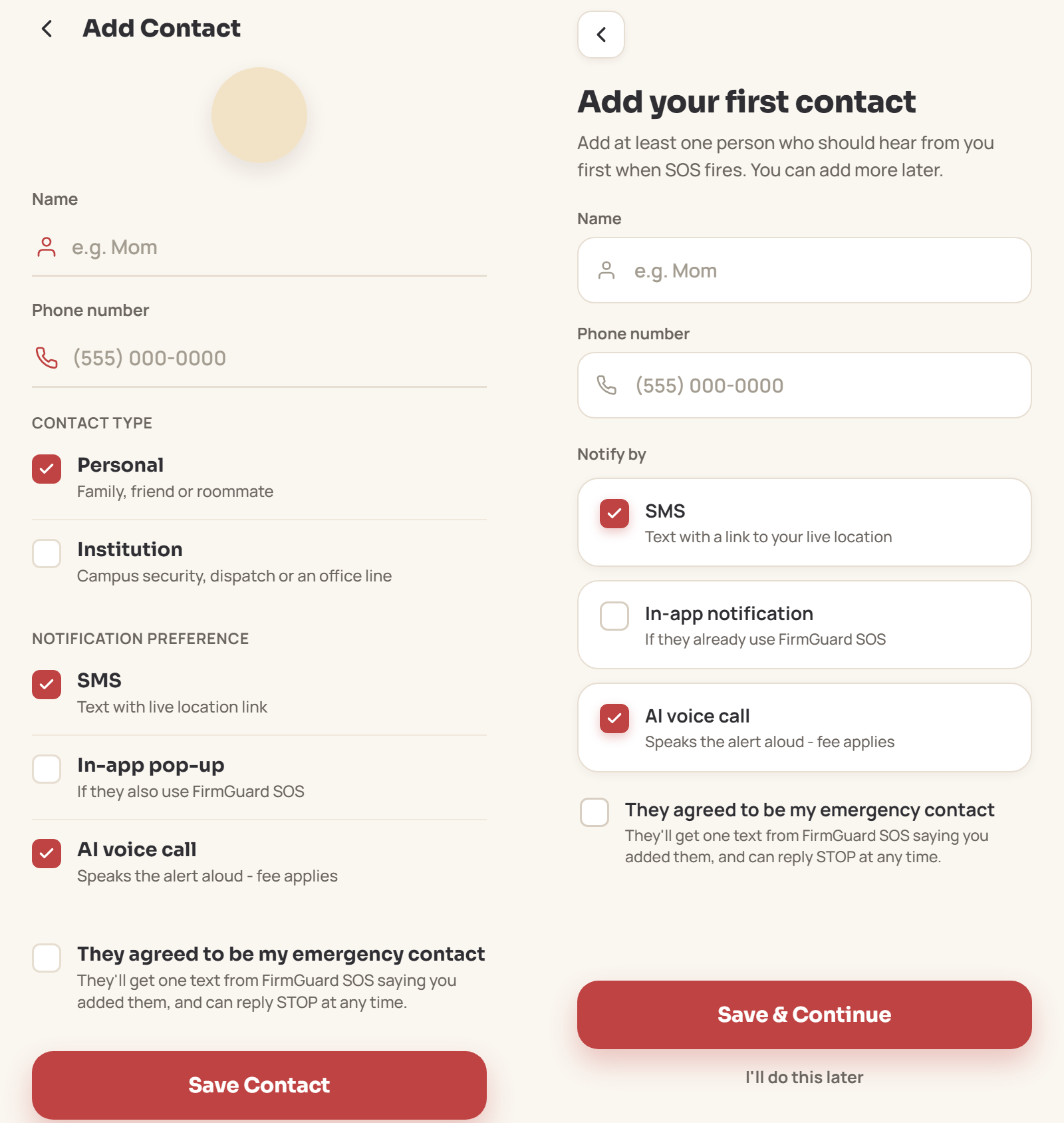
- The user asks first. Before adding someone, the FirmGuard SOS user must tick "They agreed to be my emergency contact" in the app. The contact can't be saved without it.
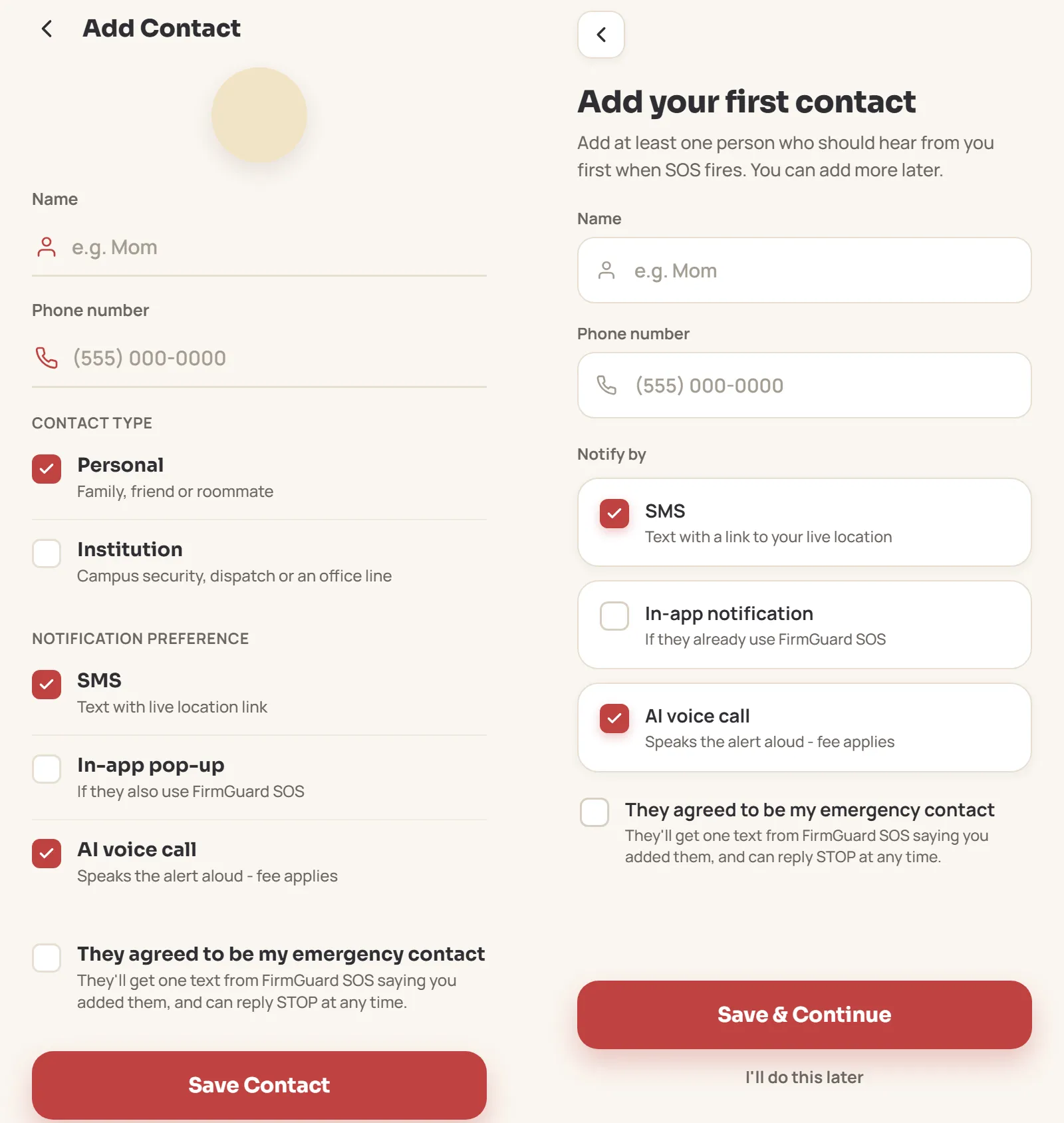
The consent checkbox when adding a contact (left) and during setup (right). - Confirmation text. The first time a number is added with text alerts turned on, it receives a one-time message explaining who added it and how to opt out:
FirmGuard SOS: Alex Morgan added you as an emergency contact. If they ever send an SOS, you'll get a text with their live location. Msg & data rates may apply. Reply STOP to opt out, HELP for help.
- Opt out at any time. Reply STOP to any message and no more texts are sent to that number.
Messages you may receive
| When | Example |
|---|---|
| You're added as a contact (once) | The confirmation text shown above. |
| The user triggers SOS | FirmGuard SOS: Alex Morgan triggered an emergency alert at 9:42 PM near 343 W Adams St, Macomb. Live location: (private link) - Call Alex: (309) 555-0142. If you think they are in danger, call 911. Reply STOP to opt out. |
| While the alert stays open | FirmGuard SOS reminder: Alex Morgan has not marked themselves safe yet (10 min since the alert). Live location: (private link) - If you think they are in danger, call 911. |
| The user ends the alert | FirmGuard SOS: Alex Morgan marked themselves safe at 9:56 PM. The live location link is no longer active. |
Message frequency
Message frequency varies. You only get texts when someone who added you triggers an alert: usually one alert text, up to six reminder texts (about every 5 minutes) while the alert stays open, and one text when they are safe, plus the one-time confirmation when you are first added.
Cost
FirmGuard SOS does not charge contacts for texts. Message and data rates may apply depending on your mobile plan.
Opting out and help
- Reply STOP (or UNSUBSCRIBE, CANCEL, END or QUIT) to stop all texts from FirmGuard SOS. You will get one message confirming you have been unsubscribed.
- Reply START to receive texts again.
- Reply HELP for help, or email ad-adebanjo@wiu.edu.
If you opt out, you will not get emergency texts from anyone who uses FirmGuard SOS. The person who added you will see in the app that texts to you could not be delivered.
Carriers
Supported on major US carriers. Carriers are not liable for delayed or undelivered messages. Text delivery depends on your carrier and signal, which is why FirmGuard SOS can also use push alerts and voice calls.
Privacy
We use your phone number only to send these alerts. No mobile information will be shared with third parties or affiliates for marketing or promotional purposes. Text messaging opt-in data and consent will not be shared with any third parties. Read our Privacy Policy.
Contact
FirmGuard SOS, Cybersecurity Center, Western Illinois University, Macomb, Illinois. Email ad-adebanjo@wiu.edu.